
💻 Work From Home Made Easy
A Geek’s Guide to Remote Productivity

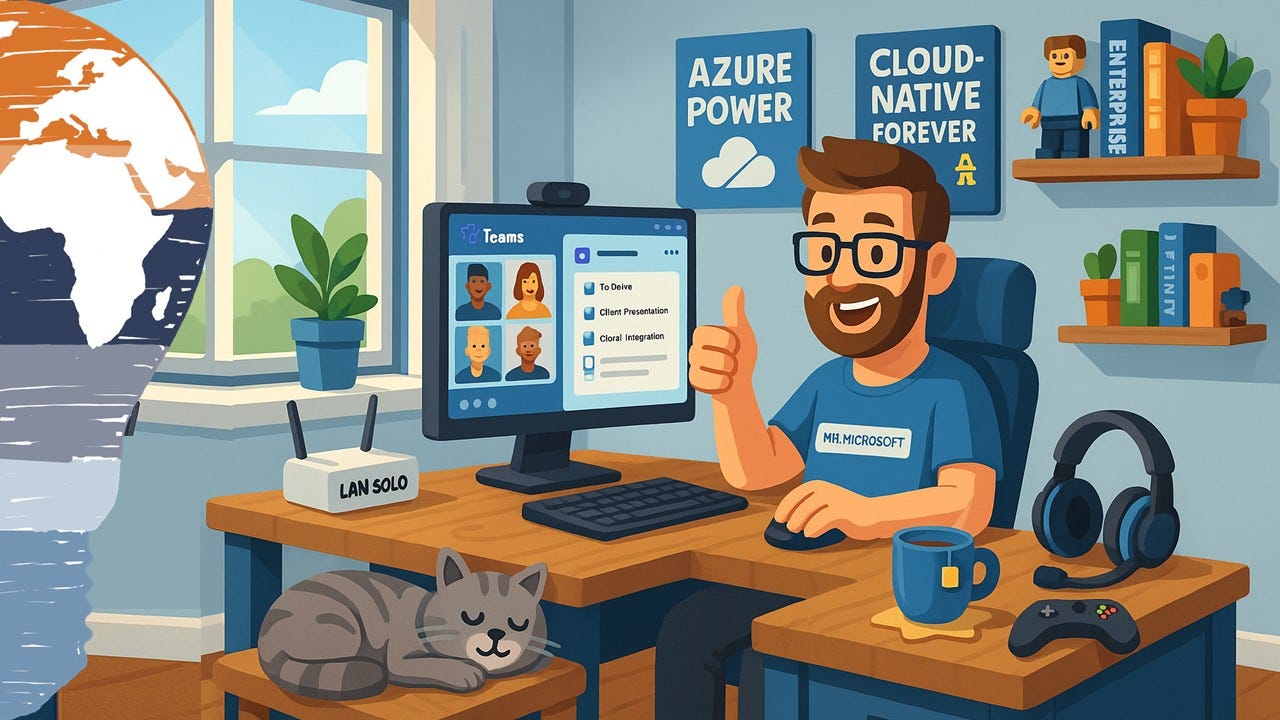
When the world stopped spinning the usual way in early this year, the way we worked changed overnight to Work from home. Suddenly, millions of people found themselves telecommuting, Zooming, Teaming, and turning their living rooms into makeshift workspaces. What felt temporary at first, quickly turned into the new normal and with it came both opportunities and chaos.
If you’re reading this, you’ve probably spilled coffee on your keyboard, sat through one too many awkward video calls, and discovered the dark side of working in your pajamas.
But hey don’t worry. The Cloud Advisor got you covered.
🌅 Routine Is Your Superpower
Let’s get one thing straight: Working from home isn’t about working from the sofa in your Hogwarts hoodie. It’s about keeping structure, rhythm, and that magical thing called focus.
Here’s my go-to Daily WFH Ritual:
Wake up at the usual time (yes, really)
Do that morning thing you always do: workout, shower, coffee, breakfast
Dress for success – even if it’s just the top half
Set up at a proper desk or table – not your bed or floor
Work your full hours, but respect your breaks
Close your day with a routine that helps you disconnect
💡 Pro tip: Create an “end-of-day” ritual. I close my laptop lid with a satisfying thud, step outside with my son or doughter or both, and mentally shift from “Mr. Microsoft” back to just Uwe. It’s my imaginary commute, and it works wonders.
🤝 Stay Social, Even at a Distance
Remote work shouldn’t mean remote people. Let’s be honest, we miss the hallway chats, the lunch breaks, and yes, even the spontaneous rants about broken printers.
That’s why I schedule:
☕ Virtual coffee breaks via Microsoft Teams
🍝 Online lunches with colleagues
🎮 Occasionally, a little post-work Xbox banter
Use Teams, Slack, or a simple group call. Just talk. Laugh. Share. It keeps the team spirit alive.
🛠️ Tools of the Trade – Let’s Talk Microsoft Teams
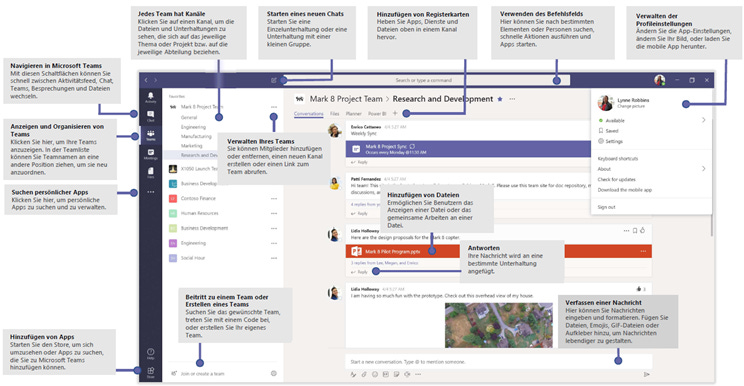
Microsoft Teams is my absolute go-to app for remote collaboration and not just because I’m a Microsoft Cloud guy.
It’s one sleek digital Swiss army knife:
Chat with colleagues
Run video meetings
Co-edit Word, Excel, and PowerPoint docs
Set up task lists and shared calendars
And best of all: it’s available on every device
Whether you’re on a Windows PC, a MacBook, an Android tablet, or even Linux (shoutout to the nerds 🤓). Teams just works. And it syncs everything. It’s the tool I wish I had 10 years ago when I first started working with remote teams.
Need help setting up Teams or maximizing your remote workspace? Check out my Microsoft Teams category here on the Cloud Advisor’s Book of Stories.
🎧 Web Meetings Without the Headache – My Headset of Choice
Let’s face it: audio can make or break your meeting.
If you’re using your laptop’s built-in mic and speakers… just stop.
Get yourself a proper UC-certified headset and level up.
My ride-or-die headset?
🎧 Jabra Evolve2 75 – and here’s why:
Active Noise Cancellation (ANC): Blocks out the chaos (kids, lawnmowers, barking dogs… all of it)
Voice-optimized mic with noise cancellation: You sound like a radio host, even if you’re hiding in a broom closet
Dual connectivity: Plug it into your laptop via USB dongle or pair it with your smartphone via Bluetooth. It just works.
I’ve used this headset for years in the office, home, hotel lobby, airport lounge. It’s the Swiss army knife of audio tools. If you’re serious about remote work, this investment pays for itself in less stress and clearer conversations.
You can check it out here on Amazon (no affiliate link).
🔐 Bonus Tips for Nerdy Productivity (aka: Your New Superpowers)
Use “Do Not Disturb” mode in Teams when deep work is needed
Set up quiet hours on your mobile device so you’re not pinged 24/7
Automate your lunch reminder with Power Automate (yes, I do this!)
Use background blur or custom Teams backgrounds when your room looks like a LEGO battlefield
Name your Wi-Fi “LAN Solo” – because why not inject a little geek into everything?
🚀 Wrapping It Up – Work From Home Done Right
Working from home can be freeing… or frustrating. It all depends on how you structure your day, what tools you use, and how connected you stay with your team.
With a little discipline, the right tech stack, and a sprinkle of fun, remote work becomes less of a compromise—and more of an upgrade.
And remember:
“It’s not about where you work. It’s about how you work, and who you work with.”
Stay clever. Stay curious. And stay connected.
The Cloud Advisor,
Uwe Zabel
💬 Got your own WFH tips or gear recommendations? Drop them in the comments. Let’s nerd out together.